Overview
The Noise tool is a set of Python scripts that can be used to apply artificial noise to transient images. It is meant to corrupt the input data of reconstruction algorithms to test them in more realistic scenarios (as real camera data is usually affected by different kinds of artifacts).
These scripts are more meant as an example than a complete tool kit. There exist many different time-of-flight cameras, each with their own noise characteristics and it would be impossible to support them all.
Download
The noise tool is part of the Toolbox.
SPAD camera
The function ApplyNoiseToFile applies Poisson-distributed shot noise and dark counts to an image (similar to SPAD sensors). It has the following parameters:
| Parameter | Description |
|---|---|
photonScale | The amount of photons per unit of a transient pixel. |
quantumEfficiency | The probability with which each photon is detected. |
darkNoise | The strength of the normal distributed dark noise. |
Applying noise changes the units of the image from arbitrary energy units to electron counts. Thus, the scale of the input and output image cannot be compared.
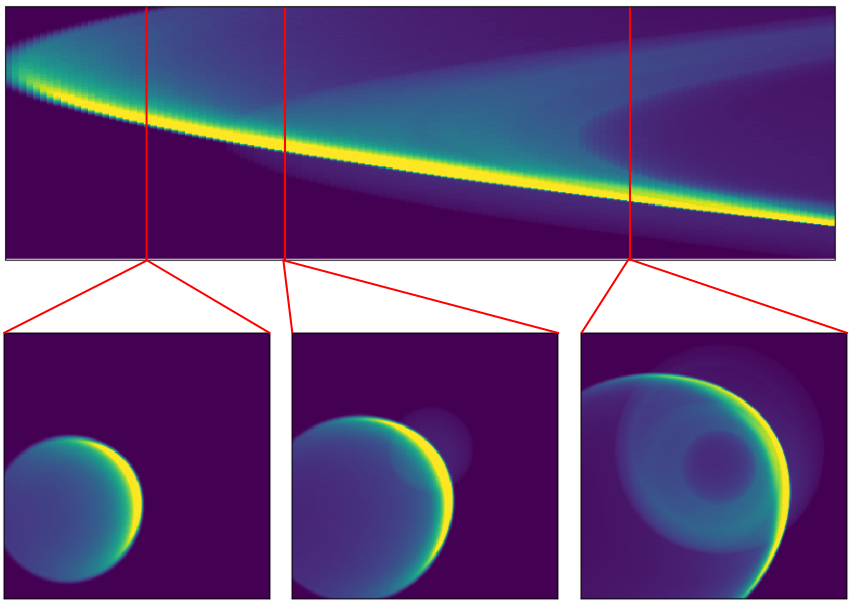
Before adding noise
|

After adding noise
|
AMCW camera
The function ApplyPhaseFunction applies an AMCW phase function to an image.
The phase function is a flat float array containing the sensor response for every phase shift between and . Each time bin is then multiplied with the corresponding value of the phase function.
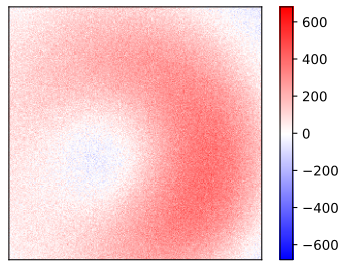
Phase A
|
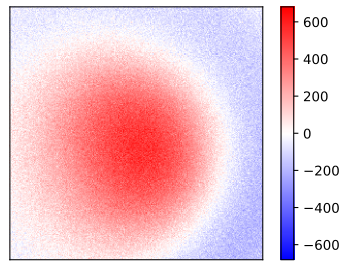
Phase B
|